Babydoll Dance AI Video: Real Example & Source Comparison
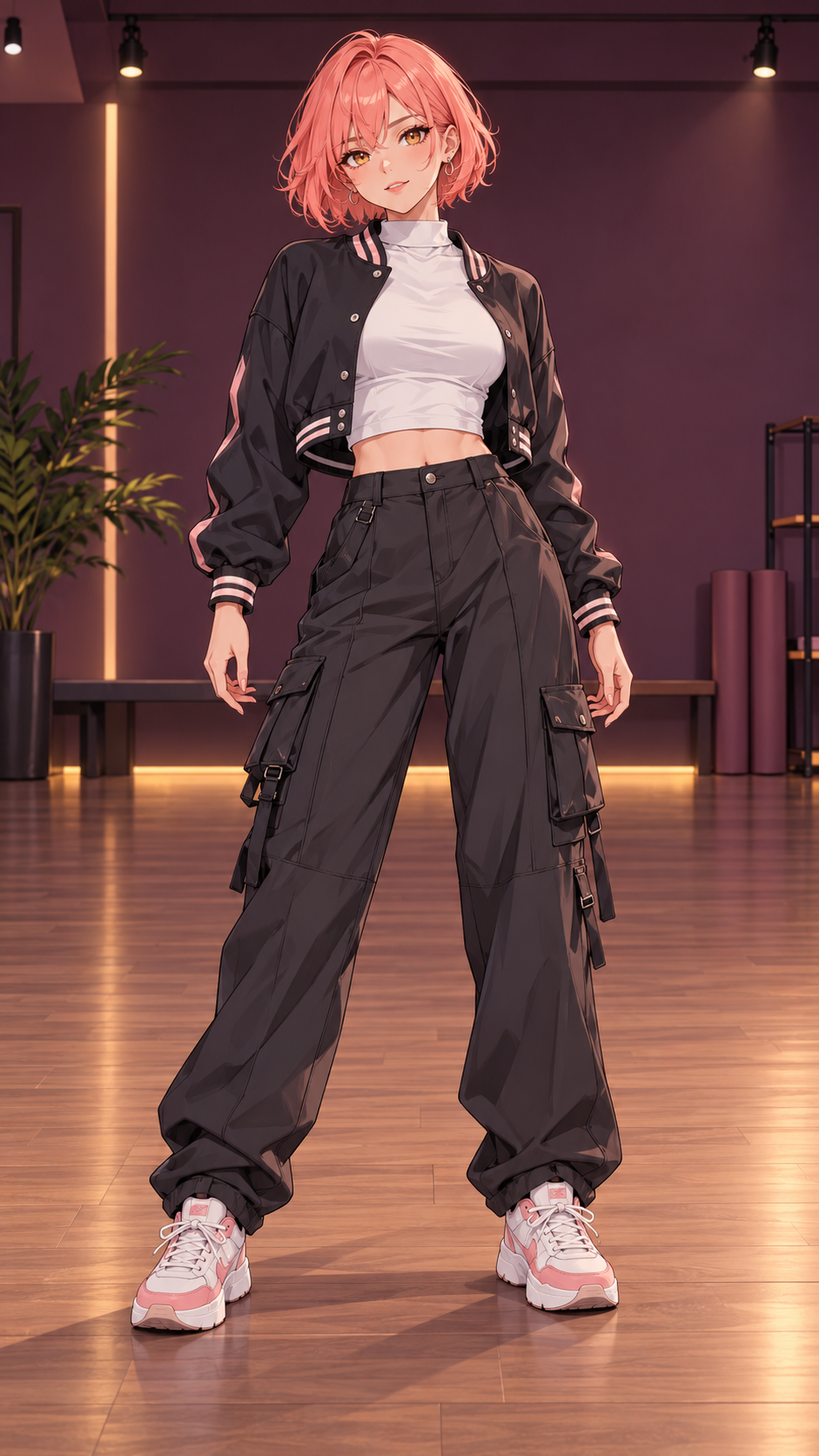
Watch a real generated result before you decide to create yours. Coral is an illustrated character animated with Kling 2.6 Motion Control. The input image, original dance reference and AI output below are different assets, labeled so you can compare them.
What this real example demonstrates
The Coral result is an 8-second AI-generated video. The original reference shows the human performer whose movement guides it; that reference is not another AI result. The input is original illustrated artwork. This page does not claim to show a generated real-person example or a 25-second output.
Play the reference and result to compare timing, body framing and how the character follows the steps. The players do not synchronize automatically. This is one example, not a promise that every photo will produce the same quality.
What changes in a photo-to-dance video?
The photo supplies the subject’s appearance and the reference supplies movement and timing. You can optionally prepare a different background first. Babydoll templates retain the selected reference audio. Custom references use their own audio when enabled.
AI can change fine details, clothing, hands and background textures. A video prompt guides expression and visual atmosphere; it cannot guarantee exact identity preservation or a different choreography.
Check framing before spending credits
Compare the full-body input with the output, especially at the hands and feet. If the generated frames cut off a limb, changing the video player to fit the screen cannot restore it. Leave room around the subject and review any separately generated scene first.
For a short result like this example, select 8 seconds, quoted at 7 credits. The studio defaults to 25 seconds, quoted at 21 credits. The longer template contains more movement, but the video above only demonstrates the 8-second output.
Create and download your own version
Use your own photo or illustrated character with permission, choose one performer, preview the selected clip and review the credit quote. Generation is paid; there is no free generation trial.
Jobs continue asynchronously after submission. Find the finished MP4 in My creations and download it without an additional unlock payment. Your own uploads and generated videos are not automatically added to this public examples page.