Bring your photo
Upload a clear full-body photo with space around the head, hands and feet. Prepare a wider scene if your photo is tightly framed.
Make your photo do the Babydoll. Follow a 25-second dance reference, keep the music, and download your video.
Original Babydoll audio includedThe selected clip keeps its original soundtrack when you change the character or background.
Add a photo to get started.
Watch both dancers here, then choose the left or right performer for your 25-second video. The original soundtrack is retained. This is reference footage, not an AI-generated result.
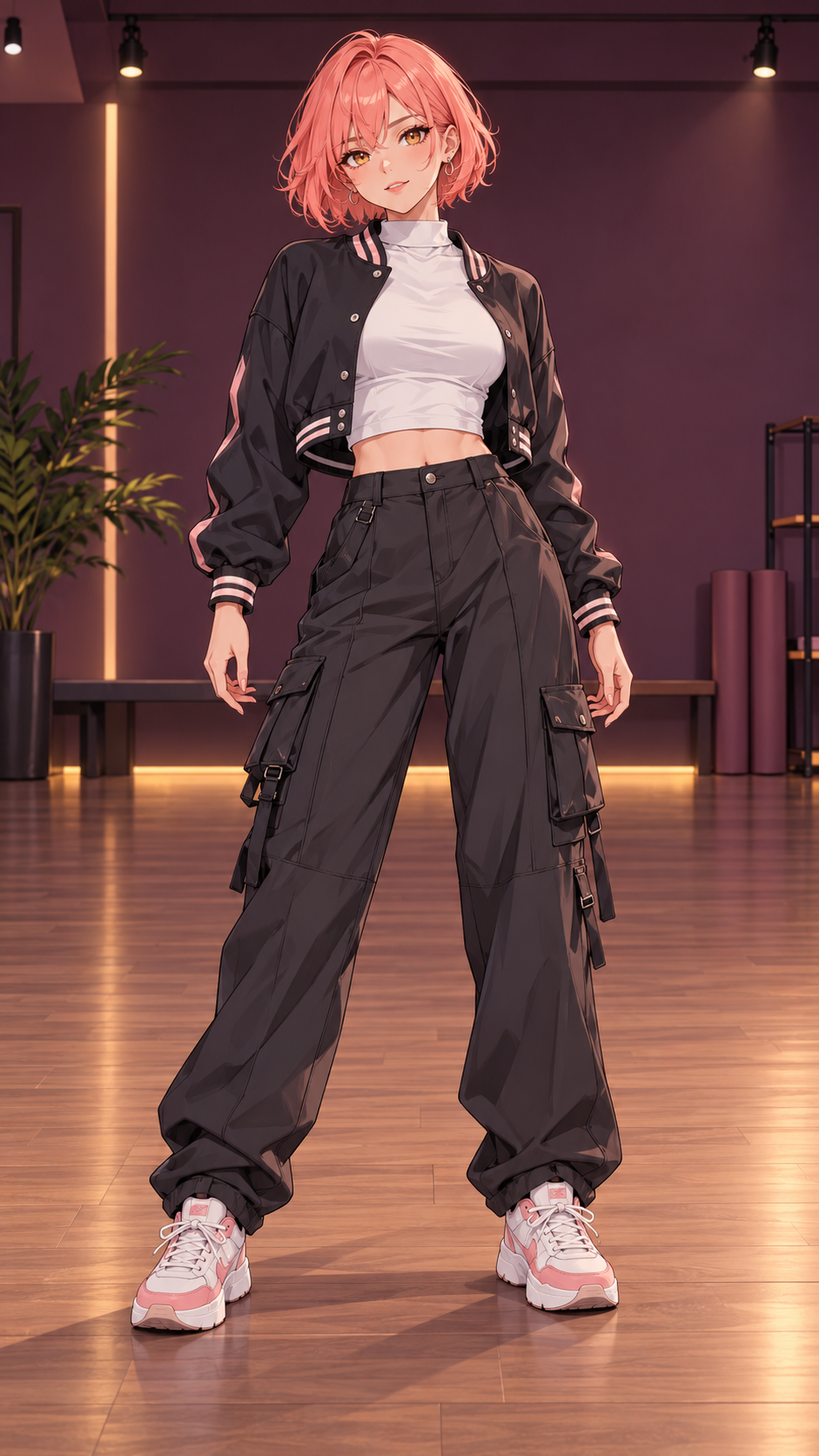
This original character image became the 8-second dance shown here. The Babydoll Dance generator can also animate your own photo with the same reference moves.
Shown: an 8-second generated video. Choose 8, 15 or 25 seconds for your own Babydoll video. Preview each reference in the creator; results vary with your photo and movement.
Generated with Kling 2.6 Motion Control · No extra download fee.Pick the look. Choose the moves. Make it yours.
Upload a clear full-body photo with space around the head, hands and feet. Prepare a wider scene if your photo is tightly framed.
Choose Babydoll choreography or bring a 3–30 second reference. Reference performers supply movement only.
Review your dance and download the MP4. Babydoll templates include the original reference soundtrack.
YOUR PHOTO. MORE POSSIBILITIES.
25 seconds recommended. Choose a length to see what each pack covers.
Make your first photo dance.
Covers one 8-second clip at 7 credits
Try different photos. Find your favorite.
21 credits per video · 14 credits left after 1
More looks, more dances, more to share.
21 credits per video · 17 credits left after 3
*Video counts follow your selected length: 8s / 7 credits, 15s / 13 credits, 25s / 21 credits. A 30-second custom reference uses 25 credits. The 25-second template is the longest prepared excerpt, not the full source recording or song. Optional scene preparation costs 1 credit. Counts exclude scene preparation; remaining credits stay in your balance. Savings compare the price per credit with Starter, not a previous sale price. Taxes, if applicable, are shown at checkout.
Have another question?
Talk to us
The Babydoll Dance AI trend uses motion transfer to make a photo or illustrated character follow a dance reference associated with Jamie Miller’s “Babydoll”. Upload your image, choose a performer and clip length, then generate your version with the selected reference audio. This is an independent creative tool, not an official artist product.
Yes, when you have permission from the person depicted and rights to use the image. Do not use the service for impersonation or misleading identity synthesis.
A clear full-body photo or character image works best. You can also extend a portrait to full body and review the result before making a video.
Yes. Upload a real location photo or illustration, describe a setting, or use both. Prepare and review the scene before making a video. A separate optional video prompt guides the look and mood; movement still follows the reference.
You can plan a duo and add an illustration for each character. Duo generation is not open yet: it needs a different model and verified character-to-motion matching. Single-person generation is available.
The default Babydoll template is 25 seconds, covering more of the available reference. Choose 8 seconds for a short excerpt or 15 seconds for a medium clip. The 25-second template stops before the performers leave the frame; it is not the entire original recording or song. Custom references accept 3–30 seconds. Longer clips use more credits.
Failed generation jobs return their reserved credits automatically. A successful scene preparation is billed separately, even if you later decide not to generate a video.
No. Scene preparation and video generation require credits. Sign-up does not include free credits. Watching reference videos is not a free generation trial. Completed videos can be downloaded without an extra unlock fee.
Yes. Download the MP4 from the completed result or My dances. On iPhone, use Save to Files if the browser opens the video instead of saving it directly.
Babydoll templates retain the original audio from the selected reference clip. Changing the character or background does not change the selected soundtrack. Custom uploads keep their own original audio by default; they do not automatically receive the Babydoll track.
BEFORE YOU CREATE
Choose the right length, leave room to move, and preview your reference.
Create your version of the Babydoll Dance AI trend by making a still photo follow a dance reference. Your uploaded image supplies the character’s appearance; the selected video supplies the movement and timing. Start with a photo of yourself, someone who has agreed to be animated, or an illustrated character you have permission to use. The generator is on this page: upload your image, choose the moves, review the credit cost, and create your video.
The included Babydoll dance reference shows two performers. Choose the left or right dancer to guide one character per generation. This does not generate a two-person replacement. The original reference and the AI-generated Coral example are labeled separately so you can compare source movement with an actual output. Results vary, especially when the input photo is tightly cropped or the movement is partly hidden.
The Babydoll Dance generator defaults to the 25-second template. An 8-second clip is a short excerpt and can finish in the middle of a sequence; 15 seconds is a middle option. The 25-second reference includes more of the performance and stops before the dancers leave the frame. It is still an edited excerpt, not the complete original recording or the entire song. Preview the selected motion before paying for a generation.
Duration changes the credit quote: 8 seconds uses 7 credits, 15 seconds uses 13, and 25 seconds uses 21. The pricing comparison lets you see how many videos a pack covers at each length. Starter has 10 credits and covers a short clip, but not a 15- or 25-second video. Creator has 35 credits and Plus has 80; unused credits remain in your balance.
A full-body image with room above the head, beside both hands and below both feet gives the movement more space. Choose a single clear subject with visible limbs. A close-up portrait may need the optional full-body scene preparation step. Review that prepared image before generating; displaying an output with less cropping cannot recover limbs already missing from the generated frames.
Backgrounds and prompts are optional. Keep your photo’s background, upload a real-location photo or illustration, describe a setting, or combine a background image with a scene prompt. Scene preparation costs 1 credit separately. A video prompt can describe mood and expression, but the reference still guides the choreography. Leaving both prompts blank uses the studio defaults. The template’s selected audio is retained when you change the character or prepare another background.
To follow another routine, switch to Your own dance and upload an MP4 between 3 and 30 seconds, up to 30 MB, with each dimension between 720 and 2160 pixels. Use one clearly visible dancer. A busy group video needs a single-person crop before uploading. Custom references keep their own audio when sound is enabled; uploading a different routine does not automatically add the Babydoll song.
Generation runs in the background after submission. You can return to My creations to check progress, and a completion email links back to your signed-in account. Download the completed 720p MP4 without another unlock payment. Failed generation jobs return their reserved credits. A successful scene preparation remains a separate charge even when you choose not to make the video. There is no free generation trial or signup credit.